

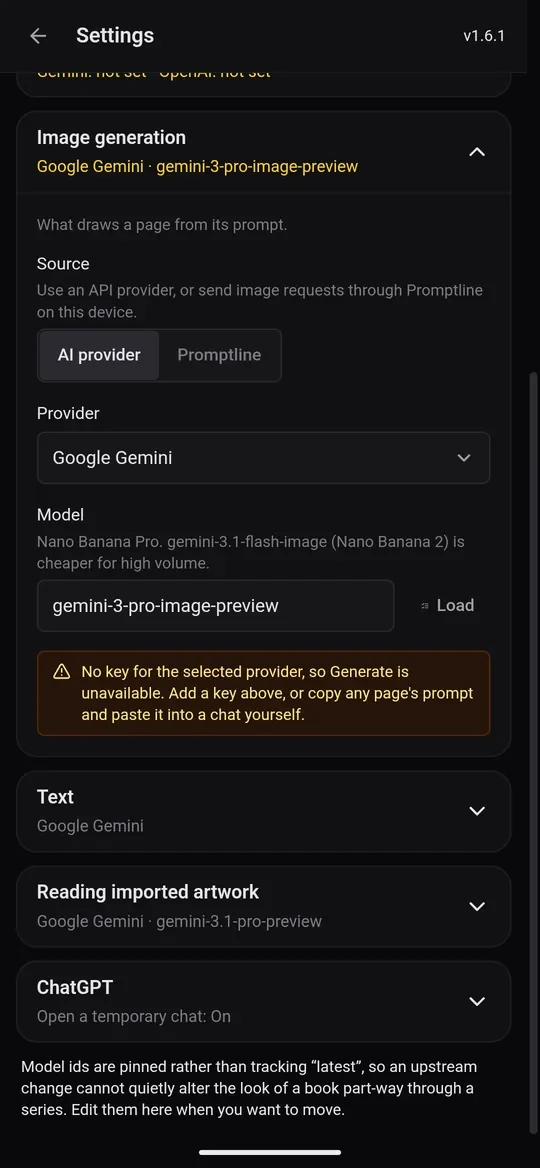
Every page in a KDPify book has a prompt: a full description of the picture, including your book's style and the print size. Something has to turn that prompt into a picture. You have three choices, and you can switch at any time in Settings › Image generation.
1. Your ChatGPT or Gemini app (free, the default)
You copy the prompt, draw it in the ChatGPT or Gemini app, then paste the picture back. It costs nothing beyond what you already pay for the chat (the free tiers work too), and nothing needs setting up.
It takes two taps per page and a short wait while the chat draws. It is the best way to start, because you see every picture before it goes into your book. Draw your pages shows each step.
2. Promptline (free)
Promptline is a free KDPify app for Windows and Android. It runs prompts in your own ChatGPT or Gemini account for you. With Promptline selected, a book can draw many pages in one go: tap Generate pages on the Designs tab and the pages arrive in the background.
To use it:
- Install Promptline (from Get Promptline in the welcome slides, or the Promptline download page) and sign in to ChatGPT or Gemini inside it.
- In Settings › Image generation, set Source to Promptline, pick the Default provider and tap Check connection.
- Keep Promptline open and signed in while pages are drawing.
3. Your own API key (paid per image)
With an OpenAI or Google Gemini API key, KDPify draws a page with one tap, or a whole book with Generate pages. You pay OpenAI or Google per image, and the app shows the cost before every run. This needs a paid KDPify plan.
- Get a key at platform.openai.com/api-keys (OpenAI) or aistudio.google.com/apikey (Gemini).
- In Settings › API keys, paste it, tap Save, then Test.
- In Settings › Image generation, choose AI provider, then the provider, model and quality.
Which one should I pick?
- Starting out? Use your ChatGPT or Gemini app. It's free, and you see every picture.
- Making many books? Promptline draws whole books for free, in the background.
- Want speed and control over the cost? An API key draws a page in seconds and shows the price up front.