

Create your account
The first time you open KDPify, a few welcome slides ask what you want to make and how you want to draw. Your answers set up your first book; you can change them later in Settings.
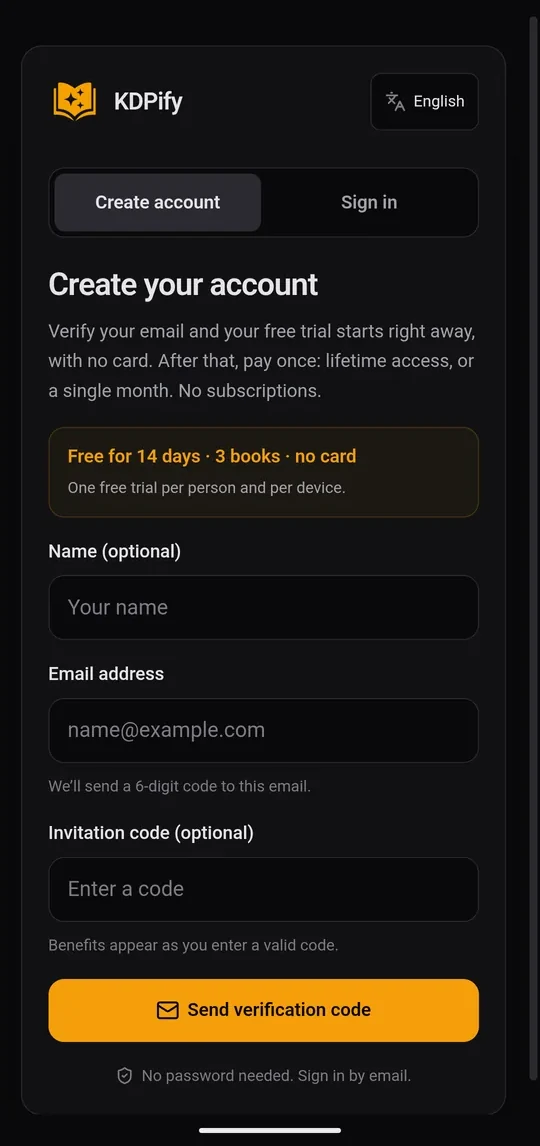
Then the account screen opens:
- Choose Create account. Type your email (your name is optional).
- Tap Send verification code. KDPify emails you a 6-digit code. There is no password.
- Open the email and copy the code, then tap Paste code in the app. It checks the code as soon as all six digits are in. The code expires after 10 minutes; tap Resend the code if you need a new one.
Your free trial starts as soon as the email is verified: 14 days and 3 books, no card. There is one trial per person and per device.
Plans
KDPify has no subscriptions. You pay once:
- Lifetime: every feature and every future update, on up to 3 devices.
- One month: the same features for 30 days, with no renewal.
Some features need a paid plan and show a lock until you have one: drawing or planning with your own API key, the ebook export and Publish with KDP (the browser helper that fills KDP in for you). Copy-and-paste drawing with the ChatGPT or Gemini app and drawing with Promptline work on every plan, including the trial.
Check your plan
Open Settings, then License. You see your plan, the days left, how many trial books you've used and the email the device is registered to. Check again refreshes it after a purchase. Payment history lists your orders.